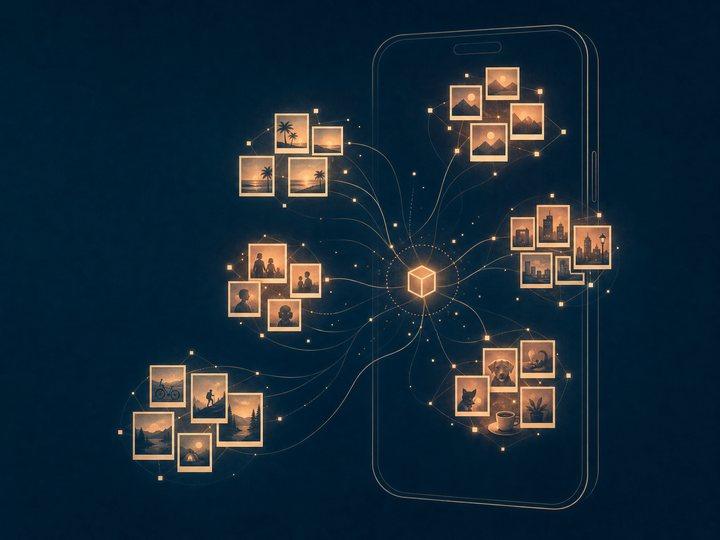
Every iPhone user knows the feeling: 20,000 photos, zero organization, and a Camera Roll that's really just a landfill sorted by date. That frustration — my own iCloud library, completely unsearchable and unsorted — is what started PhotoNester.
The idea was simple to state and hard to build: an app that looks at your photos and organizes them the way a person would — travel, pets, food, nature, selfies, documents — without you lifting a finger, and without a single photo ever leaving your phone.
The privacy constraint that shaped everything
The "never leaves your phone" part wasn't a marketing line I added after the fact — it was the design constraint from day one, and it's the reason the whole architecture looks the way it does. No server-side processing meant no uploading photos to a cloud API for classification, no convenient GPU cluster to lean on, and no shortcuts. Every bit of intelligence in PhotoNester had to run on-device, in real time, on hardware someone's also trying to use to take more photos.
That constraint ruled out a lot of the "just call an API" playbook and forced a genuinely on-device ML pipeline: classification, clustering, and album generation all happening locally, on a phone, in your pocket.
How it actually works: CLIP, shrunk down to fit in your hand
At the core of PhotoNester is OpenAI's CLIP model — the same family of model that powers a lot of modern image search and understanding — but not running in a data center. I converted it from PyTorch into Core ML format using coremltools, so it runs as native, on-device inference through Apple's Core ML framework.
Here's the basic pipeline:
- Each photo gets passed through the CLIP model on-device, producing an embedding — a compact numerical fingerprint that captures what's actually in the image, not just its metadata.
- Those embeddings get run through a k-means clustering algorithm, which groups visually and semantically similar photos together — a boat launch and a dock in Maine end up near each other; birthday cake photos cluster with other birthday cake photos, even from different years and different phones.
- The clusters get turned into named, browsable albums, so instead of scrolling a wall of thumbnails, you get "Pets," "Food," "Travel" — already sorted, already there.
The whole app is built in Swift with SwiftUI for the interface, which kept the UI layer lightweight so I could spend the engineering budget on the part that actually mattered: making the ML pipeline fast and stable on real hardware, not a simulator.
- 01Photo libraryRead on the device, never uploaded
- 02CLIP on Core MLConverted from PyTorch with coremltools
- 03EmbeddingA numerical fingerprint per photo
- 04k-meansSimilar photos cluster together
- 05AlbumsPets, Food, Travel, already sorted
The unglamorous part: making it not crash or drain your battery
Running a vision transformer on a phone sounds impressive until you remember that phone also needs to make it through the day. A few things turned out to matter more than the model itself:
Processing happens in batches of 100 images at a time rather than trying to chew through an entire library in one pass — this keeps memory pressure predictable instead of letting it spike and get the app killed by iOS. Progress tracking gives visual feedback so a multi-thousand-photo library doesn't feel like it's hung. And the whole operation is resumable — if you close the app mid-organization, it picks back up instead of starting over, which matters a lot when "the whole library" means tens of thousands of images.
None of that shows up in a marketing screenshot, but it's most of the actual engineering effort.
The bug that almost shipped a broken app
Late in development, an App Store review surfaced a crash specific to iPadOS 18.5 — the app was failing because the MPSGraph backend it expected wasn't available on that configuration. The fix was one line, once I found it: explicitly setting MLModelConfiguration().computeUnits = .all, so Core ML could fall back gracefully across CPU and GPU instead of assuming a specific compute path was always there.
It's a small fix, but it's a good reminder that "runs on my device" and "runs on every device Apple has ever shipped" are very different bars, and the gap between them is where a lot of the real work lives.
What's next
PhotoNester is live now, and the roadmap from here is about giving people more control over the automatic organization it already does well: custom categories, time-based filtering, smarter tagging, and better album suggestions as the clustering approach matures.
The bigger takeaway, for me, was less about photos and more about what's possible on-device now. A model like CLIP, running entirely offline on a phone, fast enough to feel instant — that wasn't really practical a couple of years ago. Building PhotoNester was as much a bet on where on-device ML was headed as it was a fix for my own messy camera roll.
If you're curious, PhotoNester is available now, and the full technical breakdown of this build — the CLIP conversion, choosing k for clustering, the App Store bug and its fix — lives in the case study linked below.
A model like CLIP, running entirely offline on a phone, fast enough to feel instant — that wasn't really practical a couple of years ago.