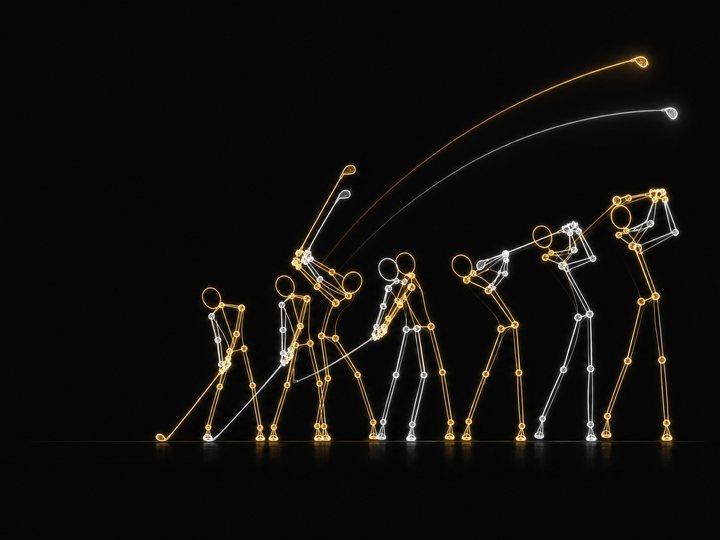
SwingSync is a React Native / Expo app for putting two golf swings — yours and a reference clip, or this month's against last month's — side by side and actually comparing them: scrub together, draw on either panel, overlay one on the other with adjustable opacity and alignment. The first working prototype is the comparison studio itself; the App Store path (bundle identifier, signing, screenshots, device testing) is still ahead of it.
The interesting engineering problem showed up almost immediately: two swings are almost never the same length. A smooth tempo swing might take 3.6 seconds; a quick, handsy one might take 2.8. Comparing them by raw timestamp means your backswing is already finishing while the reference golfer is still taking the club back — technically synced, practically useless.
Two ways to sync two clips that don't agree on how long a swing takes
SwingSync offers two sync modes. Real tempo preserves each clip's actual speed and aligns the two at impact — useful for comparing how rushed or smooth a swing feels. Phase sync is the more interesting one: it matches the six named moments of a swing — Address, Takeaway, Top, Impact, Release, Finish — between both clips, so scrubbing to 50% shows "the same point in the swing" on both panels regardless of how long either one actually took.
The default phase spacing isn't evenly divided — it's [0, .22, .46, .62, .77, 1] as fractions of total swing time. Address to Top is 46% of the swing; Top to Impact is only 16%. That's not an arbitrary curve, it's the well-known shape of a golf swing's own tempo — backswing slow, downswing fast — baked into the default markers instead of left for every user to discover by fighting with evenly spaced timing. Scrubbing between two markers interpolates linearly within that phase's window, so progress maps onto "where you are in this specific phase," not onto raw seconds.
Reading a swing without a trained golf model
The pose backend is deliberately narrow about what it claims. It runs two public Hugging Face checkpoints locally — YOLOS tiny to find the golfer, ViTPose base simple to predict 17 COCO body joints — and the code says plainly what that does and doesn't mean: "The model predicts joints, not golf events." It does not detect club-ball contact, score technique, or know what a backswing is. Everything event-shaped is a heuristic layered on top, and it's labeled as one everywhere it shows up in the UI.
A clip is sampled at up to 96 frames (roughly 12 fps), capped by both a frame count and a 20-second/4K ceiling. The person detector doesn't run on every frame — only every sixth — and in between, the pose model reuses the last detected bounding box, padded 35% wider and 18% taller to keep a raised club in frame between detections. If the tracked person's box center jumps more than a quarter of the image between re-detections, or a second person fills more than 60% of the area of the first, the backend stops and says so rather than silently tracking the wrong body.
The timing heuristic, and why it refuses more often than it guesses
Suggested timing markers come from one signal: wrist height relative to shoulder, normalized by torso length, median filtered, then run through peak-finding to locate the top of the backswing. From there it searches a bounded window (0.12 to 1.5 seconds after the top) for the clearest downswing, derives address by walking backward to the last "hands still low" frame, and derives release and finish by walking forward for the first clear drop and then the first stretch of near-stillness.
What stands out reading the code isn't the heuristic itself — it's how many ways it's built to say no. Not enough confident wrist/torso observations, gaps in tracking, no clear backswing-to-downswing transition, a downswing that doesn't drop far enough, phases closer together than 0.03 seconds, a follow-through that's missing or obscured — any one of those returns None and a specific, human-readable reason instead of a best guess. And when it does succeed, arriving suggested timing never silently overwrites markers you've already set by hand.
What ships, what's still manual
Measured angles are 2D, read off the image plane, not true 3D joint angles — a face-on clip and a down-the-line clip of the same swing will measure differently, and the app doesn't pretend otherwise. The transport steps in 1/30-second increments, which isn't guaranteed frame-exact for arbitrary source frame rates. There's no account system, cloud library, or multiple saved comparisons yet — one workspace, saved locally, is what restores on relaunch.
The backend itself stays deliberately small in scope: no authentication, meant for a trusted local network, one analysis at a time (a second request while one's running gets a 429, not a queue), 80MB upload cap, and the uploaded clip is written to a temporary file that's removed on success, failure, or a dropped connection — nothing lands in a database. On this machine specifically, PyTorch is pinned to 2.2.2 because that's the last version with Intel Mac wheels; production inference is meant to run on Apple Silicon or Linux, not this pin.
A model that predicts joints isn't a model that understands golf — the honest version of this tool says so in its own error messages, not just in the fine print.